Tailored cropping
Tune the crop to a specific collection, institution or those tricky one-off documents.
AI vision models crop your scans automatically, so your team skips the repetitive manual work, digitizes faster and gets consistent results across the whole collection.
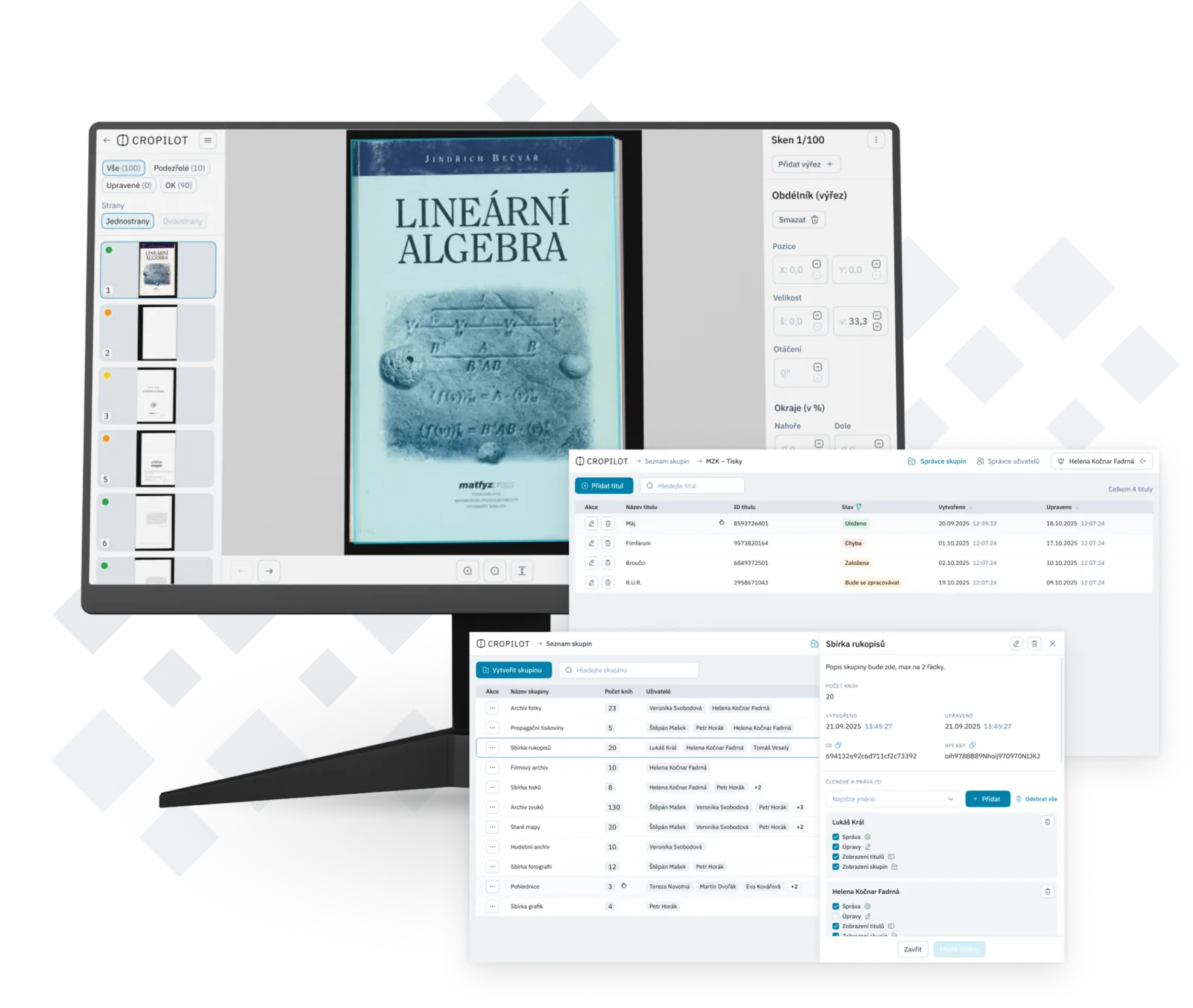
Cropping scans is repetitive busywork. It doesn't take a librarian's expertise, yet it eats up time, caps your throughput and invites inconsistent results. Cropilot hands that routine to AI, so your team can focus on the work that actually needs a human.
Tune the crop to a specific collection, institution or those tricky one-off documents.
AI handles the crop, page rotation and left/right detection, with barely any review.
Your digitization line clears more scans without extra staff or added cost.
Every output stays within the same parameters, and the model keeps getting better from your feedback.
For everyday books and newspapers, Cropilot runs on its own. For damaged pages, unusual formats or your own cropping rules, the model is fine-tuned to how your institution actually works.
Your first batch shows the model the typical formats, damage and margins in your collection.
A specialist steps in only where the model is unsure or hits an unusual case.
That feedback flows into the next runs, and manual fixes drop off fast.
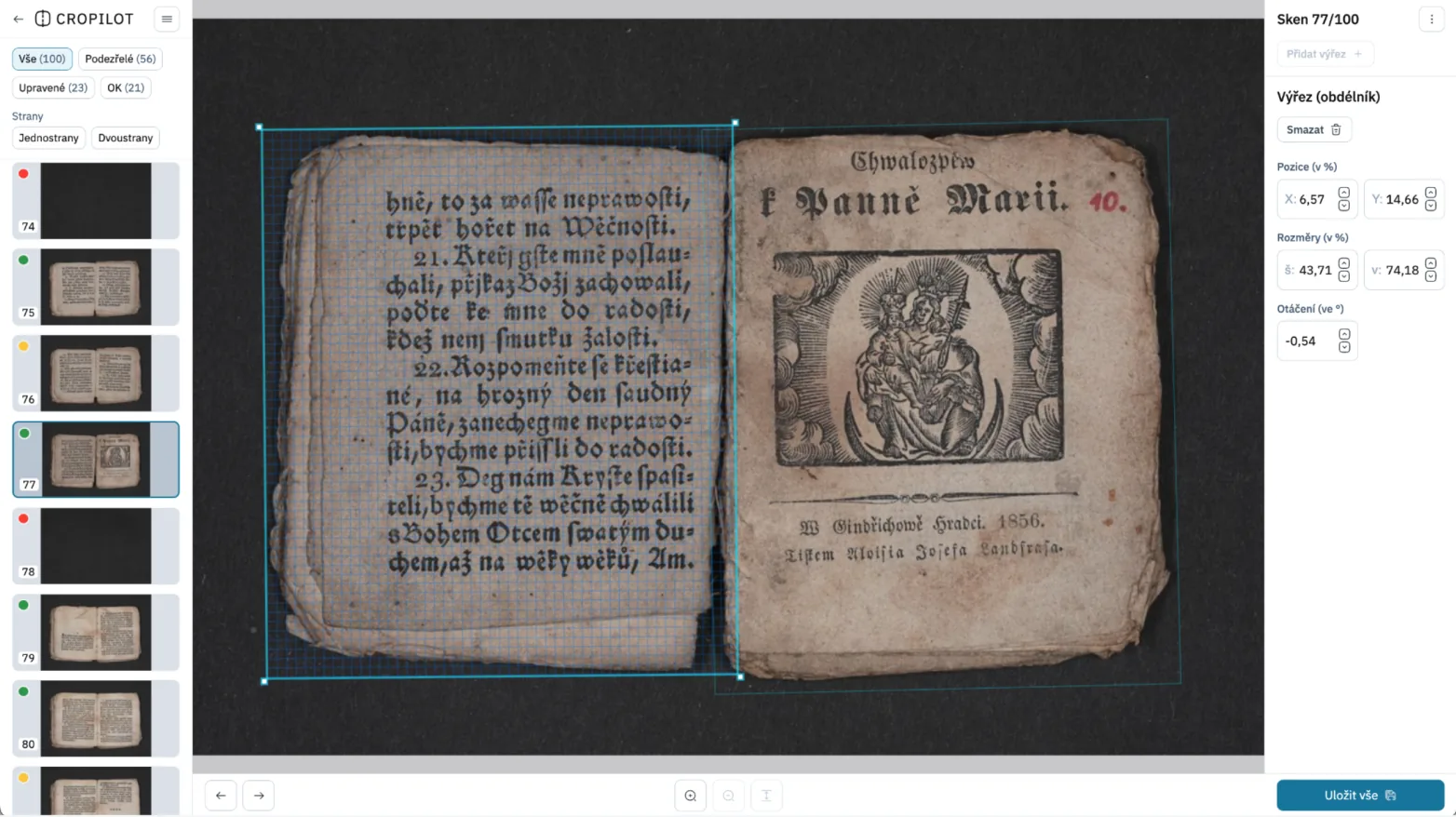
Everything lives in one workspace (the scan preview, an adjustable crop box, the scan status and the crop settings) with no jumping between tools.
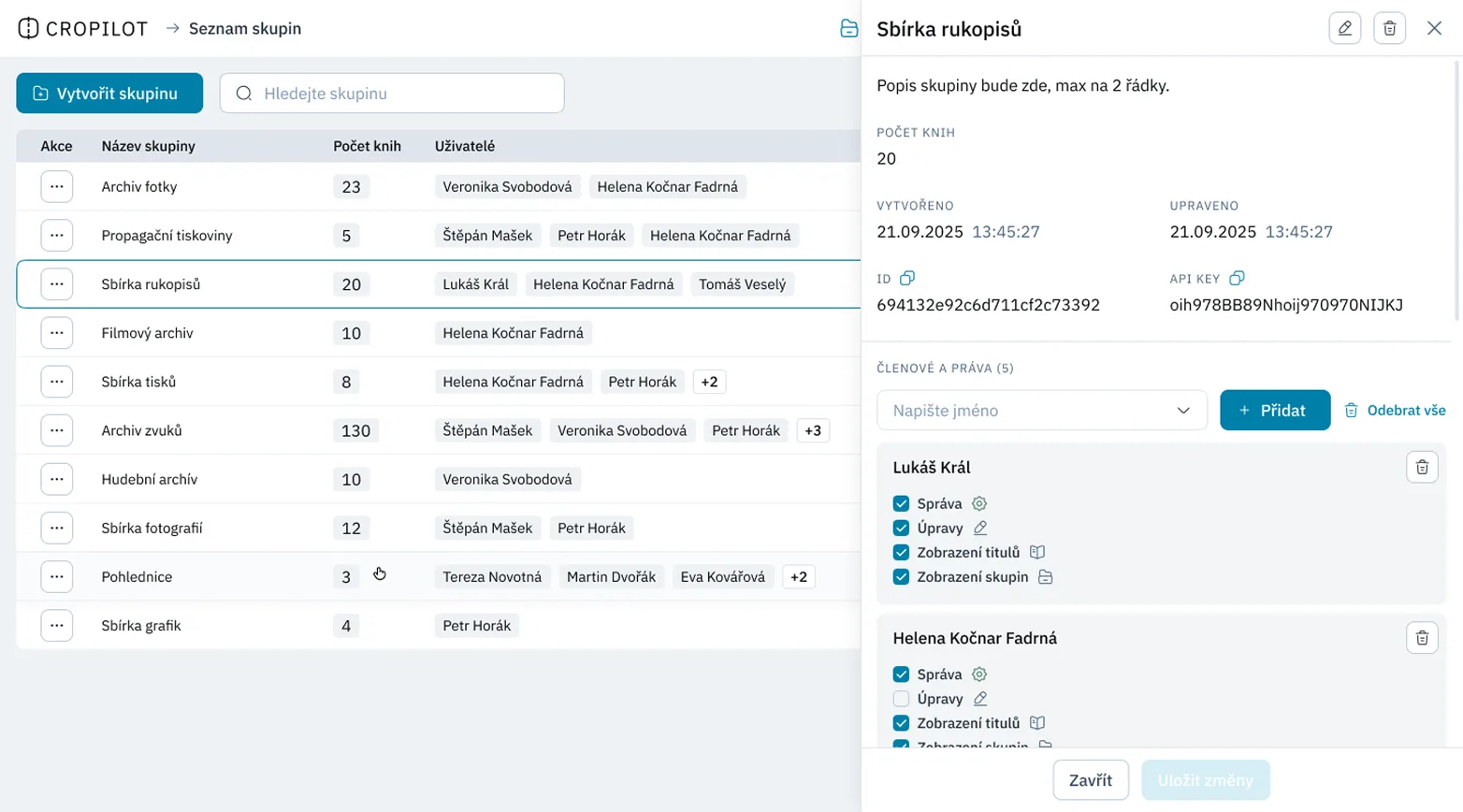
Admin that fits how institutions really run: split teams by collection, set their permissions and keep tabs on who can edit crops, titles or groups.
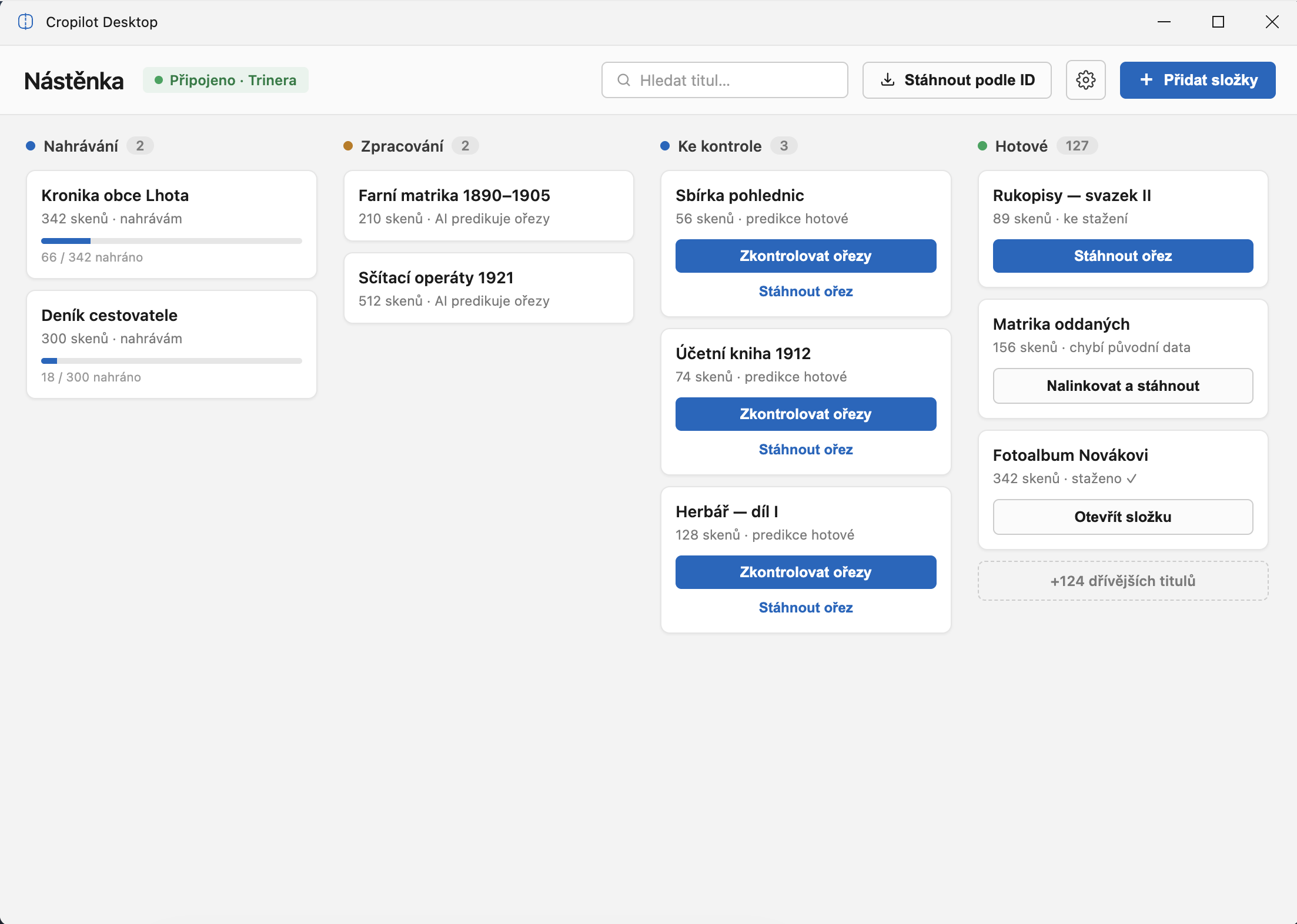
Manage your batches in the Cropilot Desktop app. It uploads scans to Cropilot and then crops the pages right on your own device. Or integrate Cropilot into your existing systems via the API.



A piece on the Trinera blog on how Cropilot automates scan cropping and speeds up the whole digitization workflow.
Cropilot fully automates scan cropping with advanced AI vision models, clearing the biggest bottleneck in digitization: repetitive manual page cropping.
Give me a call or drop me a line for a no-strings consultation.